New, open, and save
- File → New visit: clears the active workspace after prompting about unsaved changes.
- File → Open: loads a previously saved Wireborne project file.
- File → Save: writes the active project; Ctrl+S is available as a shortcut.
Customer details can be added before scanning, after scanning, or immediately before reporting. Skipping the first screen never prevents the project from being saved.
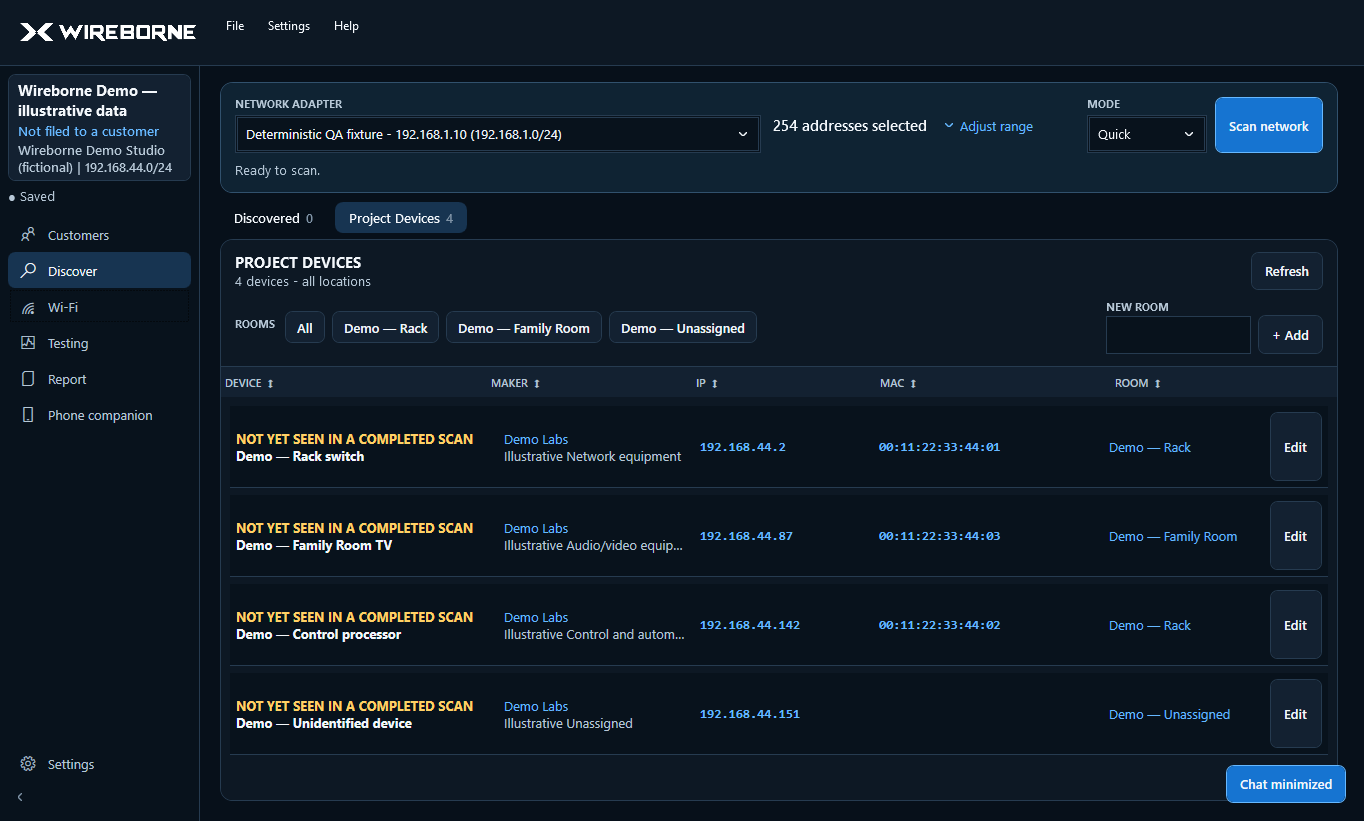
Why there are two device lists
Keeping both views lets you return to the complete scan without polluting the final inventory with every transient phone, watch, or neighboring device.
Add a device to the project
Drag a row from Discovered Devices to Project Devices. The device stays visible in Discovered Devices and is marked as already in the project. You can also use the row action when drag-and-drop is inconvenient.
No edit form is forced during the move. Select the device later in either list to add or correct details.
Organize at your pace
- Create unique room/location names such as Rack, Great Room, or Primary Bedroom.
- Select a controlled device type or create a new reusable type.
- Add a customer-friendly name and a detailed technician note separately.
- Sort by room, maker, IP, MAC, or device name to find gaps.
What the project preserves
A saved project can include customer information, scan observations, Project Devices, rooms, notes, Wi-Fi snapshots and roaming measurements, internet speed history, local diagnostic results, and report branding references. Reopen the file to continue the same job rather than creating disconnected exports.
Back up valuable project files using your normal company storage policy. Wireborne is local-first and does not replace your backup system.